What are the limits of VMware ESXi?
This home lab VMware ESXi stress test pushed my two HP DL360 Gen9 hosts to their limits, spinning up thousands of virtual machines with PowerShell and PowerCLI until I hit the infamous ESXi purple screen of death (PSOD). Along the way, I stress-tested WhatsUp Gold 23.0 configuration management, uncovering edge-case issues that were fixed before release.
Sometimes the best way to learn about something is to break it.
I set out to discover the true limits of my vSphere home lab by testing it with a real-world VM scalability stress test. My goal: find the breaking point of VMware ESXi and, along the way, push WhatsUp Gold 23.0 Configuration Management to extremes. This experiment did not just satisfy my curiosity, it uncovered edge-case performance issues which led to real product improvements that shipped to customers.
🏗 Building the Ultimate VMware ESXi Home Lab
For anyone exploring home lab stress testing or virtual machine scalability, here’s my setup:
- 2x HP DL360 Gen9 servers with 8x local SSDs each
- Both from https://pcserverandparts.com/ who were great to work with
- eBay for used memory to max out the hosts
- 1x Asustor FLASHSTOR 6 (FS6706T) all-flash NAS for high-speed shared storage
- VMware vSphere evaluation, with ESXi advanced host parameters tuned to support thousands of VMs
- I’ve since migrated to Proxmox which doesn’t require licenses for advanced features, more on that journey someday
- UniFi network gear and Pi-hole DNS/DHCP (spoiler: both failed under load)
- WhatsUp Gold 23.0 for real-world monitoring and configuration management testing
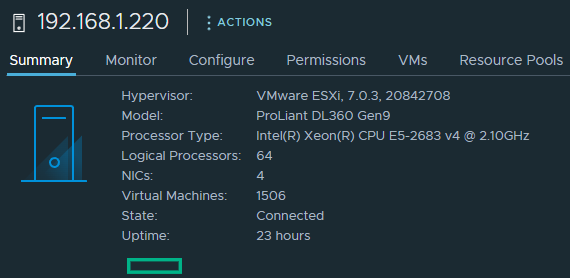
I wanted the answer to a simple question: “Exactly how many VMs can I run in my lab before ESXi purple-screens?”
⚡Automating Massive VM Deployments with PowerShell and PowerCLI
For VM scalability testing, I tried Windows first but its used too much storage. I ended up deploying thousands of CentOS 7 SNMP-enabled VMs. A manual approach wasn’t realistic, so I automated everything using PowerShell automation for VMware.
Along the way, I learned how to tune ESXi advanced settings for extreme VM density, script clone → start → repeat loops to deploy VMs continuously, and add logging, error handling, and retries for stability and repeatability, all using ChatGPT to accelerate learning. A simplified snippet:
$count = 1
$maxVms = 500
$vmBaseName = "centos7-test-"

while ($count -le $maxVms) {
    $vmName = "$vmBaseName$count"
    New-VM -Template "CentOS7-Lab" -Name $vmName -VMHost "LabHost1" `
        -Datastore "datastore1" -ResourcePool "Low" | Start-VM
    $count++
}
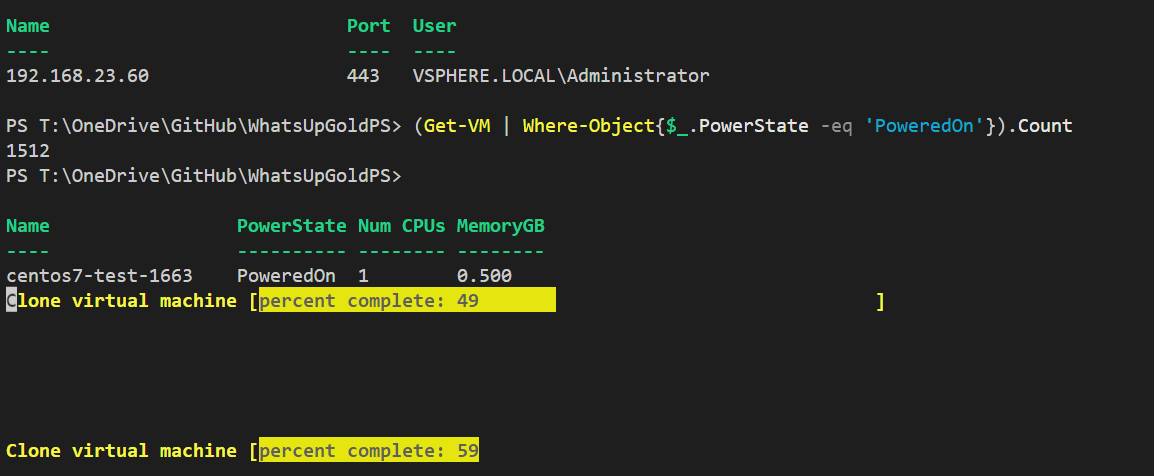
The full automation script using PowerCLI will be shared on my GitHub soon for anyone interested in VMware lab scalability testing.
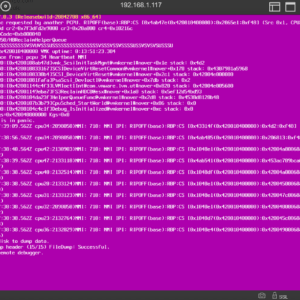
💥When VMware ESXi Finally Broke
The journey to the purple screen was equal parts fun and chaos:
- VM count climbed past 3,000 VMs across two hosts
- Storage filled up before memory reached its limit
- Pi-hole and UniFi CloudKey failed at ~1,800 DHCP leases
- Asustor NAS NIC maxed out under I/O stress
- WhatsUp Gold 23.0 handled a massive configuration load, validating our config management scalability
And then… it happened.
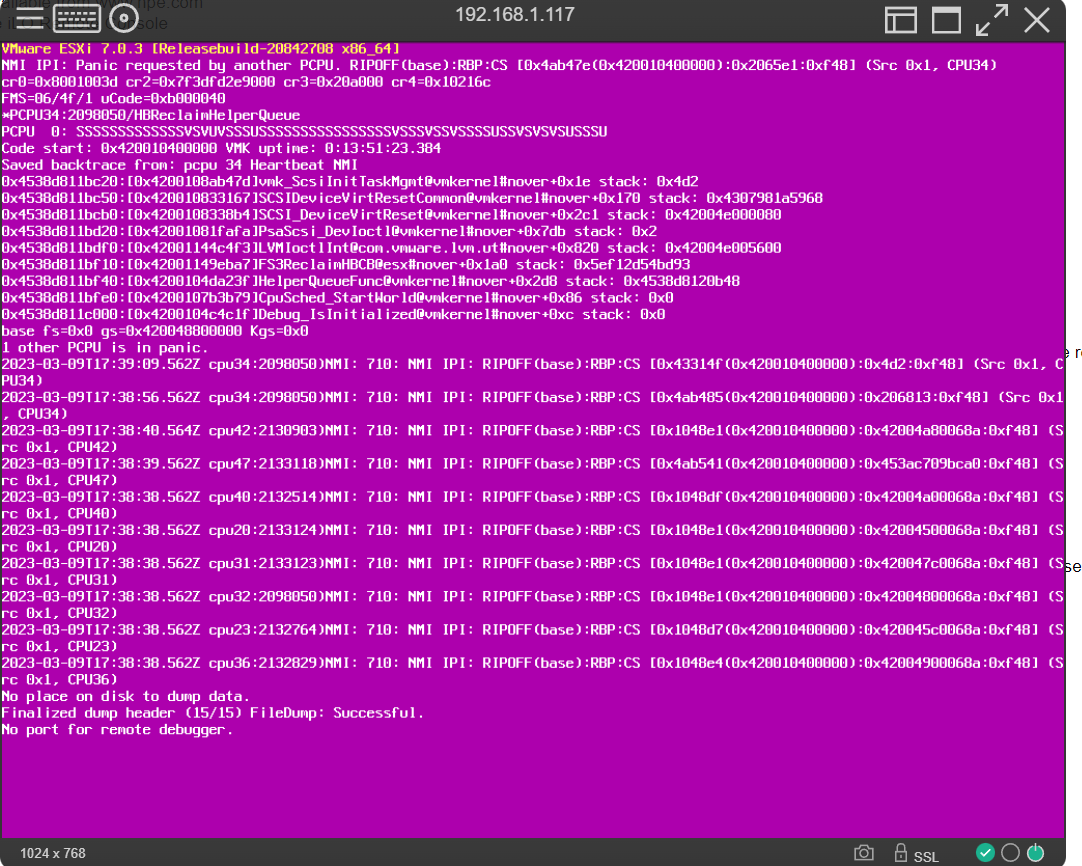

📊 From Lab Chaos to Product and Customer Value
Even though my personal mission was to break ESXi, the experiment had direct product benefits. I found edge-case performance issues that were resolved pre-release. We now had real-world telemetry and configuration scaling data which gave confidence in WhatsUp Gold 23.0. How else could I stand behind it if I do not test it and experience it myself? This journey also led to WhatsUpGoldPS, my PowerShell module for WhatsUp Gold’s REST API, which enables discovery, monitoring, and configuration automation.
🎯 Lessons from the VMware ESXi Home Lab Stress Test
- Curiosity leads to innovation. Chasing a purple screen revealed real customer value.
- AI-assisted scripting accelerates lab work. ChatGPT helped refine PowerShell scripts quickly.
- Hands-on product management matters. Breaking things in the lab prevents real-world customer pain.
Until then, remember: every ESXi purple screen is just another data point in the journey to better products.
Have you ever pushed your own lab to the point of a PSOD? I’d love to hear your stories, email me. And if this experiment made you smile, feel free to share it with your fellow WhatsUp Gold, VMware, PowerShell, or home lab enthusiasts.